The right document finds the work.
Every SyteLine transaction has paper behind it: the customer's PO, the drawing, the cert, the packing slip, the vendor's invoice. Doc-Trak attaches each document to the SyteLine record it belongs to, files what arrives by rule, sends what leaves with the attachments already inside one PDF, and puts the job's drawing in front of the operator through Shop-Trak. Your documents stay in the file shares, SharePoint libraries, cloud storage or Infor Document Management (IDM) you already have. What changes is that SyteLine knows where they are.
What changes
What we hear about paperwork and documents
Six versions of the same problem, in almost every plant we walk into. Here is what each one looks like with Doc-Trak. The goal underneath all six is the same: the right document, one click from the SyteLine transaction it belongs to, and at the station where the work is done.
Fifty small hunts a day
Invoices, POs, certs and drawings live in inboxes, shared drives and paper folders. Everyone spends part of the day looking.
Every document one click from the record
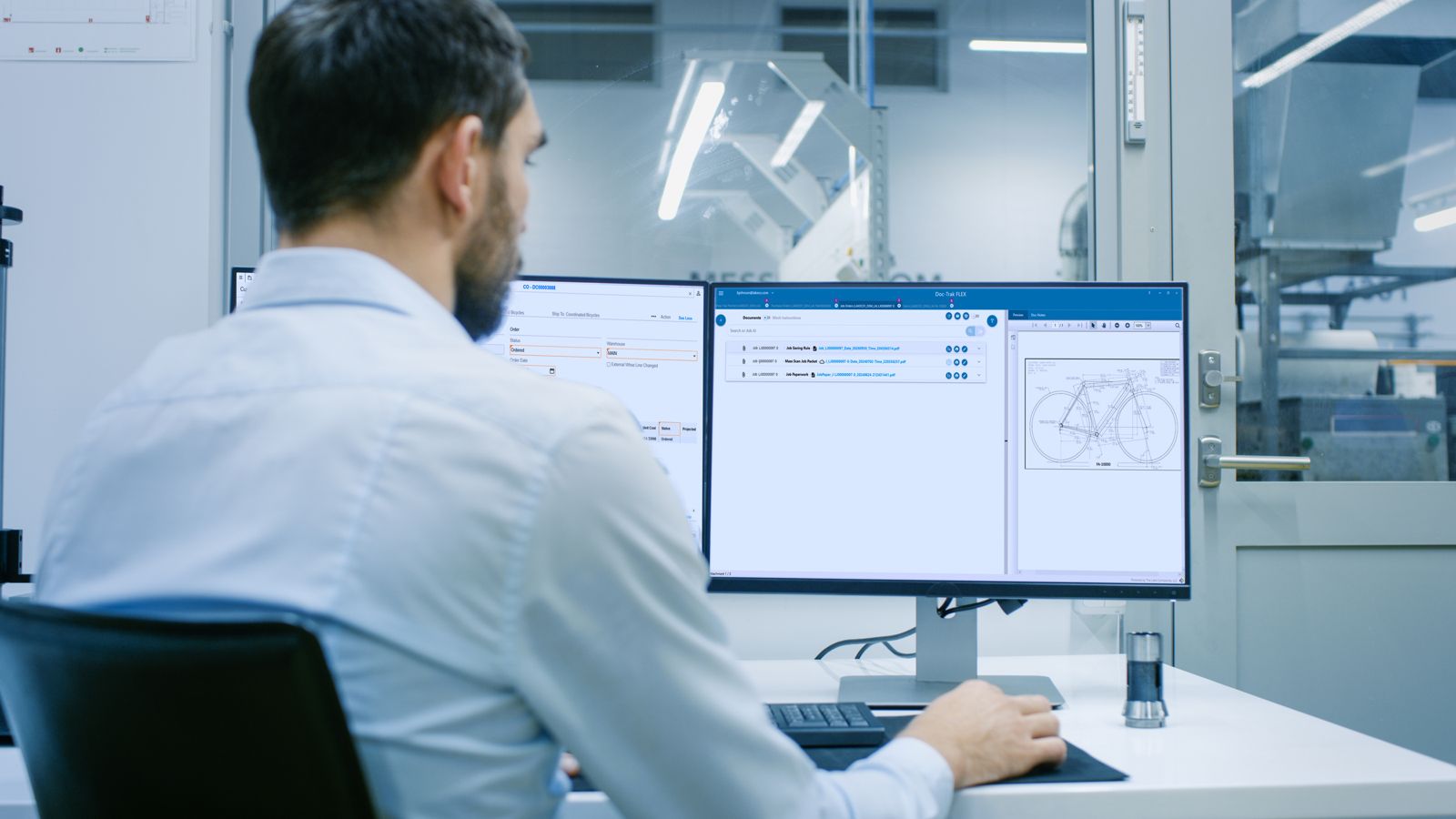
Doc-Trak FLEX follows you through SyteLine and shows the attachments for whatever record you are on, across every open form and site. The Search or Ask AI bar answers a question across the attachments on screen.
The wrong print on the bench
The packet on the bench is a revision behind. The part runs until someone notices.
The released revision opens with the job
The drawing is attached to the item once and shows on every order line, job operation and Shop-Trak station for that item. The old revision is marked Obsolete and never prints, emails or goes into a packet again.
Invoices wait on paperwork
Accounts payable hunts for the PO, the receiver and the packing slip before anyone can approve the voucher.
The PO, the receiver and the invoice sit together
Receive with Docs scans the vendor's packing slip onto the PO at receiving. At vouchering the invoice is scanned or dragged from Outlook onto the voucher, and all three sit on the posted transaction.
Paperwork assembled by hand in four departments
Shipping staples certs to the packing slip while the truck waits. Purchasing attaches drawings to the PO by hand. Customer service and invoicing hunt for the same documents again.
One PDF out the door
Print Doc-Trak sends the packing slip, the purchase order, the order verification and the invoice to the right contact with the certs and drawings inside one PDF, then archives each one and attaches it back to its record. Shipping, purchasing, customer service and invoicing, one button each.
Audits and disputes stall
An auditor or a customer asks for the record, and the team starts digging through binders.
The record answers while they wait
Certs are scanned to the lot at receiving and follow the material. The Job Document Book collects every document on the job into one PDF, and the audit log shows who added, changed or deleted any attachment.
Knowledge walks out the door
Files sit in personal folders and inboxes, under a filing system one person understands, and leave when that person does.
Filing rules, not personal habits
Saving rules name and file every document the same way, from the record's own fields, into your repositories. When someone leaves, the record is where the next person will look.
“Where is the drawing for this job? And is it the current one?”
The question asked at every work center, every day. A drawing attached once to the item and shown wherever the item appears is where the answer starts.“Can we prove these parts were good? Certs live on a whiteboard, audits take two weeks.”
The question every quality manager answers under pressure. A cert scanned to the lot at receiving and collected in the Job Document Book is the answer with no searching.What your team gets, role by role
Purchasing and accounts payable
The PO leaves with the drawings inside. The packing slip comes back onto the PO, and the invoice joins them on the voucher.
Engineering and document control
Attach the drawing once. Approve a work instruction once, with a revision number, and the old version retires itself.
Operator
Opens the drawing and work instruction attached to the job at the Shop-Trak station, and drops a photo back onto the job.
Quality
Pulls the job's certs and the work instruction view log from the record while the auditor is still in the room.
Why Doc-Trak
Why Doc-Trak
Five reasons manufacturers choose it, whichever repository they keep.
Works with the repository you have, IDM included
File shares, SharePoint, Amazon S3, Box, Dropbox, Laserfiche and Infor Document Management. Doc-Trak 2026 saves to IDM, archives to IDM and shows IDM documents beside the record. Nothing to migrate.
The paperwork does the filing
Saving rules build the path, the name and the document type from the record. Mass Scanning matches a stack by barcode to receipts, lots, serials and vouchers. Receive with Docs files the packing slip as part of receiving.
One PDF out the door
The Print button on about 30 SyteLine forms, packing slips, purchase orders, order verifications and invoices among them, becomes Print Doc-Trak. Twelve of them go out as packets with the drawings, specs and certs inside. The Job Packet prints with its drawings. The Job Document Book collects the whole job.
The floor sees it, and proves it saw it
Through Shop-Trak, the operator opens the drawing and work instruction at the station. Required steps gate quantity complete, the view log says who saw what, and Doc-Notes carry replies back to the office.
Every form, every site, every SyteLine you run
More than 100 SyteLine forms plus Infor CRM, Service, RFQ and Quality-Trak forms. On-premises SyteLine 9.00.20 through 10, SyteLine 10 and Infor CloudSuite Industrial (SyteLine) in Infor's multi-tenant cloud.
Side by side with Infor Document Management
IDM is a good repository, and in the multi-tenant cloud it is already yours. Doc-Trak is the document workflow that runs on it. The IDM column is as Infor documents IDM for CloudSuite Industrial, together with the separate Infor products it works with. Where IDM is stronger, the verdict says so.
| IDM and the Infor products it works with | Doc-Trak on the Lake MES Platform | Verdict | |
|---|---|---|---|
| A repository of record | Versioning, check-out and check-in, retention policies, access control lists, security audit log | Not a repository. Documents stay in your repositories, IDM included; Doc-Trak adds the Obsolete flag, an attachment audit log and revision control on work instructions | IDM |
| Included and Infor-maintained | The entry tier of Infor OS, which carries IDM, is included with CloudSuite Industrial in Infor's multi-tenant cloud; Infor Cloud sets it up and moves it with each uplift | Part of the Lake MES Platform subscription. Each SyteLine release is tested by Lake, then the platform release follows | IDM |
| Which forms carry documents | The forms Infor has set up (customers, orders, invoices, vendors, POs, A/P, items); other forms by extending Infor's context model | More than 100 forms, and an item's drawing flows automatically to every order line, job operation and estimate | Doc-Trak |
| Filing inbound paper | Upload or drag and drop with the record's attributes; Infor Document Capture, a separate product, scans supplier invoices to the PO and voucher | Saving rules, Mass Scanning with barcode match, Receive with Docs, certs to lot and serial, PO, receiver and invoice together at vouchering | Doc-Trak |
| Outbound paperwork and job packets | Invoices and POs are stored in IDM when printed; delivery is SyteLine report email | About 30 reports and 12 packet types with attachments inside; Job Packet with drawings; Job Document Book | Doc-Trak |
| The shop floor | Infor Factory Track, a separate product, shows IDM documents in its pane | Shop-Trak shows drawings, Doc-Notes with replies and Visual Work Instructions with required steps and a view log; IDM documents show in Shop-Trak too | Doc-Trak |
Already running IDM? Keep it. IDM stays the repository, with its versions, retention and access lists. Doc-Trak 2026 saves inbound documents into IDM by rule with the right document type, archives SyteLine reports into IDM, surfaces documents already in IDM beside the record, and shows them in FLEX and in Shop-Trak. Customers run both, and we implement both. IDM is part of Infor OS: in Infor's multi-tenant cloud it is included with CloudSuite Industrial. Doc-Trak works with IDM's standard document types; custom IDM document types are set up by Lake as a modification. Infor Document Management, Infor Document Capture and Infor Factory Track capabilities are as described in Infor's published documentation for CloudSuite Industrial and Infor OS. Repositories are named to state what Doc-Trak works with, not as endorsements. Infor logos and trademarks are property of Infor.
Doc-Trak on the Lake MES Platform
Documents don't live alone. On the platform, the job carries them. Shop-Trak, Doc-Trak and Fact-Trak already work on your SyteLine data today. The next direct product-to-product integration, Shop-Trak and Machine-Trak, is expected by the end of 2026, with more through 2027.
Shop-Trak
Available NowLabor, quantities and scrap at the operation. The drawing, notes and work instruction open at the same station, and a photo from the floor lands on the job.
Machine-Trak
Available NowAny asset reports run, idle and down. OEE and utilization first, then downtime reasons. The job link to Shop-Trak is expected by the end of 2026.
Quality-Trak
Available NowNonconformance, corrective action, engineering change, audits and inspections inside SyteLine, on the same records your documents follow.
Fact-Trak
Available NowJob cost and margin analytics on your SyteLine data, by job and work center, before month-end. Part of the Pro tier.
Vantage
Expected Early 2027Your Command Center: late jobs, holds and machine state on one role-based screen, with the job's documents a click away.
Intelligence
Planned 2027AI across the platform, building on Doc-Trak's AI summaries and Search or Ask AI. A person approves every action.
Start with the paperwork. Keep climbing.
Capacity scales, capability activates. Starter quantities of every product are included in every tier, so each stage starts as a pilot, not a purchase.
Paper onto the record
Available NowInbound paper files itself by rule. Outbound paperwork leaves with the attachments inside.
Documents at the station
Available NowShop-Trak opens the drawing and work instruction attached to the job, and logs who viewed it.
Machines reporting, quality on the job
Available NowMachine-Trak reports OEE and utilization on any asset. Quality-Trak records inspections and nonconformance on the same job.
Run the plant from one screen
Expected Early 2027Late jobs, holds and machine state on one role-based command center, with the job's documents a click away.
What the job record makes possible
The drawing opens with the job
Available Now with Shop-TrakThe drawing attached to the job is at the station when the operator clocks in: the revision in force, under Doc-Trak's revision rules.
The instruction gates the quantity
Available Now with Shop-TrakRequired steps must be viewed before the operator reports quantity complete, and the view log says who saw what.
A new revision reaches every open job
PlannedA released revision walks the bill of material to every job that carries the item.
What we hear about Doc-Trak, and what we say back
Each one is a problem in a manufacturer's words. The answer names what Doc-Trak does about it today, what is still coming, and where the problem sits in the 49 we have catalogued.
The wrong revision is on the shop floor right now, and we will find out at test.
The drawing and the work instruction attach to the SyteLine record, and the operator opens the current revision at the station through Shop-Trak. The floor is not holding a copy, so there is no old copy to run. Required steps gate quantity complete, and the view log says who saw what. Available now.
In the book of painThe wrong revision is on your shop floor right now Available nowPeople do not have the instructions to do the job right Available now
People spend hours hunting for the cert, the drawing or the packing slip.
Doc-Trak files every document on the SyteLine record it belongs to and follows you through SyteLine to it. Saving rules build the path, the name and the document type from the record's own fields, so filing is a rule rather than a habit. Search or Ask AI and AI summaries find the document from a plain-language question. Available now.
In the book of painPeople burn hours hunting for documents Available nowAn audit means digging for the file you cannot find Available now
An audit means two weeks of digging through binders for the file we cannot find.
Every document is filed in context and retrievable in a click: the cert scanned to the lot at receiving, the inspection on the work order, the instruction the operator saw. The Job Document Book collects the whole job into one PDF. Audit defense becomes routine. Available now.
In the book of painAn audit means digging for the file you cannot find Available nowCan we prove these parts were good? Available now
We already run IDM, SharePoint or a file share. We are not moving our files.
You do not have to. Doc-Trak works with the repository you have: file shares, SharePoint, Amazon S3, Box, Dropbox, Laserfiche and Infor Document Management. Doc-Trak 2026 saves to IDM, archives to IDM and shows IDM documents beside the record. Doc-Trak is the document workflow that runs on your repository, not a repository of its own. Nothing to migrate.
In the book of painPeople burn hours hunting for documents Available now
There is too much paper on the shop floor.
The right document is delivered digitally to the work and updated where it sits. The Job Packet prints with its drawings when paper is still wanted, and the operator sees the rest at the station. Paper leaves the floor without anybody losing access to what was on it. Available now.
In the book of painThere is too much paper on the shop floor Available nowPeople do not have the instructions to do the job right Available now
The back office spends its day printing, emailing and filing invoices and purchase orders by hand.
The Print button on about 30 SyteLine forms becomes Print Doc-Trak, and twelve of them go out as packets with the drawings, specs and certs inside one PDF. Mass Scanning matches a stack by barcode to receipts, lots, serials and vouchers, and Receive with Docs files the packing slip as part of receiving. More than 100 SyteLine forms are covered. Available now.
In the book of painBack office document work is slow and untracked Available now
A supplier email gets missed and we stock out.
An add-in that reads inbound supplier email against SyteLine context is built as a plug-in on the document framework. Development is paused and it has no date, so it is not sold as available. What is available today in Doc-Trak is Search or Ask AI and AI summaries over the documents already on the record.
In the book of painSupplier signals get missed in an inbox Real, not scheduled
You buy the platform once. You grow it by switching on.
One subscription, one renewal
Your tier includes a license for each of its products, with starter quantities included, and you install what you need. One agreement covers all of it.
Capacity scales, capability activates
Add devices, users, seats or machines as you grow. New capability is switched on, not reinstalled. Machine-Trak connections may require a setup fee.
Care after go-live, included
Check-ins and activation help are part of the subscription. We'd rather come solve a real problem on your floor than run you through a demo.
Add users as you grow. Your account team sizes the platform with you and confirms the numbers in a written quote. Current Lake customers receive loyalty pricing on the platform.
Moving to Infor's multi-tenant cloud? Doc-Trak and the platform move with you. Your account team will confirm what your version supports.
SyteLine is your system of record. The Lake MES Platform is your system of execution.
Talk to a Doc-Trak expert: (920) 406-3030. We'd rather come solve a real problem on your floor than run you through a demo.